

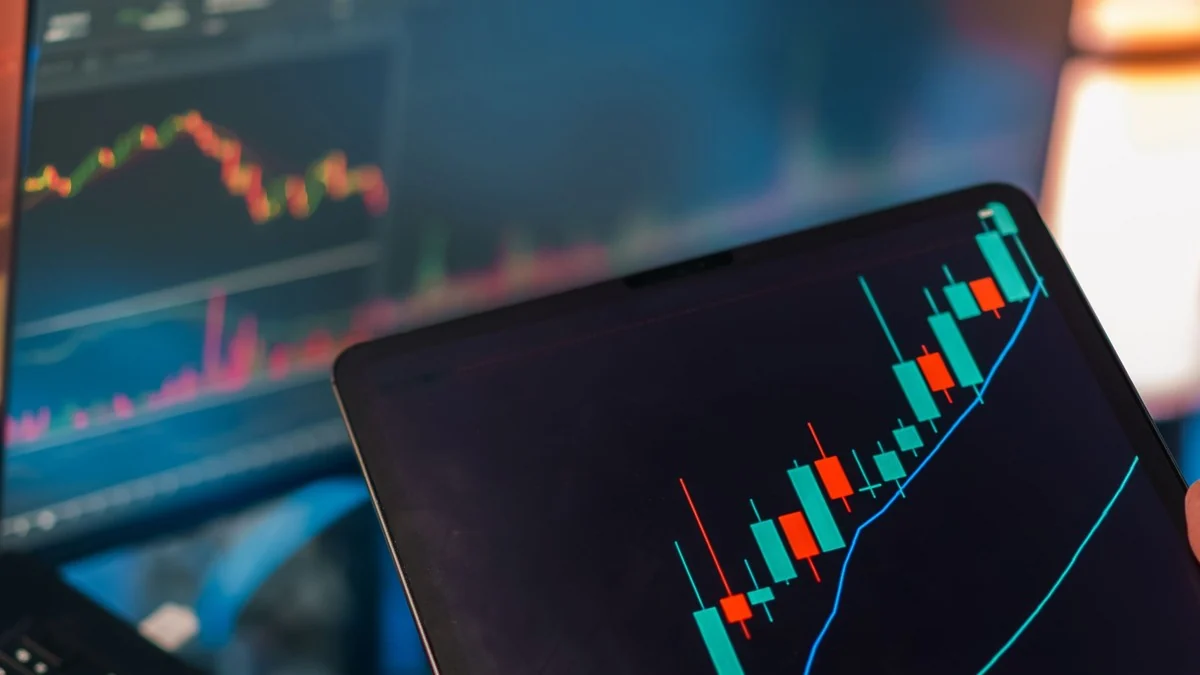
Stock trading software is no longer a specialized tool reserved for professional trading desks. Most online brokers now give individual investors a browser platform, desktop application, mobile app, or some combination of the three, often with live market data, charting, screening, alerts and order-entry tools built into the same account.
The important question is not whether a platform has a long feature list. It is whether the software gives you the information, order controls and reliability needed for the way you actually trade. A long-term investor who places a few orders each year has very different requirements from someone focused on shorter term trading, where data latency, order handling and workflow become much more important.
Trading software also does not create a trading edge by itself. Better tools can make analysis faster, reduce avoidable order-entry mistakes and help a trader follow a defined process, but they cannot turn a weak strategy into a strong one. Choosing software therefore starts with understanding what the platform does, what still happens behind the platform, and which capabilities are actually relevant to your decisions.
What stock trading software actually does
A modern trading platform usually combines several functions that were once separate. It can display quotes and charts, organize watchlists, screen securities, deliver company and market information, place and manage orders, show positions and account balances, and generate alerts when prices or technical conditions change. More advanced systems may add options analytics, customizable workspaces, backtesting, programming interfaces and automated order logic.
The value of bringing these functions together is largely about workflow. A trader can move from finding a stock to evaluating it and entering an order without repeatedly switching between unrelated services. The same software can also improve the management of information by keeping watchlists, charts, news, position data and order status in one place rather than forcing the user to reconstruct the decision from several sources.
There is still an important distinction between software that helps you analyze a market and software connected to a brokerage account that can send orders. A standalone charting or screening service may be excellent for research but unable to execute a trade. Conversely, a broker’s basic web interface may execute orders perfectly well while offering only modest analytical tools. Many traders therefore end up using one platform for execution and another for deeper analysis, although an integrated setup is simpler when the broker’s tools are sufficient.
The platform, broker and market are different parts of the trade
One of the easiest mistakes to make is to treat the trading screen as though it were the market itself. When you press Buy or Sell, the order normally goes first to your brokerage firm. The broker then determines how the order will be handled and where it will be sent for execution, which may involve an exchange, an alternative trading system, a wholesale broker-dealer or another execution venue. FINRA’s description of the online trade lifecycle makes this separation clear: the investor-facing software is the entry point, but routing and execution take place through the brokerage and market infrastructure behind it.[1]
This matters when comparing trading platforms. Two interfaces may look similar but differ in the broker behind them, the markets and products available, the order types supported, the way orders are routed, and the quality of execution reporting. A fast-looking interface cannot guarantee a particular fill price, and an attractive quoted price is not the same thing as an executed trade.
Execution quality becomes more visible when markets are moving quickly or a stock is thinly traded. An order may fill in several pieces, a limit order may not fill at all, or a market order may execute at a different price from the last trade displayed on the screen. The platform should therefore make order status, partial fills, average execution price and cancellations easy to understand rather than simply showing that an order was submitted.
For investors who trade only occasionally, these differences may rarely affect the outcome by much. For active traders, small execution frictions accumulate across many transactions, so platform selection should include the brokerage’s execution practices and not stop at chart layouts, indicator counts or mobile design.
Market data: speed, depth and what you actually need
Market data is the raw material of trading software. At a minimum, most users expect current prices, bid and ask quotes, daily volume and historical charts. More advanced platforms may show time and sales, market depth, Level II quotations, exchange-specific data and streaming information for multiple asset classes.
The right data package depends on the time horizon. Someone investing for several years does not need the same level of immediacy as a trader deciding whether to enter and exit within minutes. Even so, the old distinction between universally free delayed data and universally paid real-time data is too simple. Brokers and data vendors differ in what they provide, which exchanges are included, whether an exchange agreement is required and whether a user is classified as professional or non-professional. The practical approach is to check the platform’s data entitlements rather than assume that every quote on every screen is equivalent.
Stock quotes also need context. The last traded price tells you where a transaction occurred, but it does not guarantee that a new market order will execute at that price. The current bid and ask are more relevant to an immediately executable trade, while the spread between them gives a rough indication of the price concession involved in crossing from one side of the market to the other.
Depth of market can be useful for very active trading because it shows additional displayed buying and selling interest beyond the best bid and ask. It should not be mistaken for a complete picture of future supply and demand, however. Orders can be added, canceled or executed quickly, and not all trading interest is necessarily displayed in the same way. For most investors, clear bid-ask information, reliable charts and accurate position data matter more than a visually dense order book they do not know how to interpret.
Order entry and execution tools
The order ticket is where trading software stops being merely analytical and begins affecting real money. Good software should make the security, quantity, side of the trade, order type, duration and estimated value obvious before the order is transmitted. A platform that encourages speed but makes it easy to confuse shares with dollar value, buy with sell, or a day order with a longer-duration order is not helping the trader.
Market, limit and stop orders solve different problems
A market order prioritizes getting the trade executed, but it does not guarantee the exact execution price. A limit order prioritizes price by setting the maximum price a buyer will pay or the minimum price a seller will accept, but execution is not guaranteed. A stop order is different again: once the stop price is reached, a conventional stop order becomes a market order, so the final fill can differ from the stop price. FINRA’s current order-type guidance emphasizes these trade-offs rather than treating one order type as universally superior.[2]
That is a more useful framework than the old idea that beginners should usually default to market orders or that limit orders mainly cause traders to miss strong moves. In a liquid stock during normal market conditions, a market order may be reasonable when immediate execution matters and the displayed spread is narrow. A limit order may be preferable when price discipline matters more than certainty of execution, especially in a fast-moving or less liquid security.
Stop and stop-limit orders also require care. A stop can help automate an exit, but once triggered it may execute at a materially different price during a gap or sharp move. A stop-limit order retains price control after the trigger, but that protection creates a different risk: the market can move through the limit and leave the position unexecuted. Software should make these mechanics clear at the time the order is entered, because a feature is only protective when the user understands what will happen after it is triggered.
Conditional orders can improve discipline, but complexity has a cost
Many platforms support bracket orders, one-cancels-the-other instructions, trailing stops and other linked conditions. These tools can reduce the need to watch a position continuously and can make a preplanned exit process easier to execute. They are particularly useful when the trader has already decided what should happen under specific price conditions.
The downside is operational complexity. Every additional condition introduces another setting that can be misunderstood, left active longer than intended or behave differently across regular and extended trading sessions. Traders should know how the broker treats partially filled orders, whether linked orders adjust automatically, when day orders expire and what happens if a session closes before a condition is met.
Extended-hours access is not the same as normal-hours trading
Platforms increasingly offer trading before the regular session opens or after it closes, but the interface can make these sessions look more ordinary than they are. The SEC’s Investor.gov bulletin notes that extended-hours markets may have less liquidity, wider bid-ask spreads, greater price uncertainty and different order-handling rules, and some brokers accept only limit orders during those sessions.[3]
A platform should clearly identify which session an order is being sent to and whether an unfilled order carries into another session. A trader who sees the same chart and order ticket after hours should not assume the same liquidity or execution conditions are available simply because the software looks unchanged.
Charting, screening and research tools
Charting is often the most visible difference between a basic brokerage interface and a more advanced trading platform. Useful charting software lets the user change time frames, compare securities, adjust price scales, add volume and indicators, annotate charts and move quickly from a watchlist to a detailed view. The goal is not to fit the largest possible number of indicators onto a screen, but to make the information needed for a decision easy to see and consistent from one security to the next.
There is no requirement to use sophisticated technical tools to trade successfully with just the basics. A trader using a simple price-and-volume method may gain more from a clean interface and reliable order ticket than from dozens of proprietary indicators. Advanced software becomes valuable when the additional capability serves a specific process, such as comparing several time frames, testing a rule, measuring volatility or monitoring many securities at once.
Screeners are useful for narrowing a large stock universe. Depending on the platform, filters may include market capitalization, volume, price movement, valuation ratios, earnings growth, sector, dividend measures or technical conditions. The best screener is not necessarily the one with the most filters. It is the one that can express the criteria you actually use and return results quickly enough to become part of your routine.
Research features deserve the same discipline. Company financial statements, earnings calendars, analyst estimates, corporate actions and news can all be useful, but their relevance depends on the strategy. A long-term investor may spend more time on financial and business information, while a short-term trader may care more about liquidity, price behavior, catalysts and execution conditions. Software is most helpful when it reduces irrelevant information rather than simply increasing the amount of information on the screen.
Paper trading, backtesting and automation
Simulation tools let users practice platform mechanics and test ideas without putting real capital at risk. They are especially useful for learning where order controls are located, how positions appear after a fill and how a strategy would have behaved under a set of historical or simulated conditions. For a new platform, paper trading can reveal workflow problems before those problems become costly mistakes.
Simulation has limits that should be understood before results are treated as evidence of a durable edge. A simulated fill may not reproduce the liquidity, queue position, slippage and emotional pressure of a real trade. Historical testing can also look better than live performance when a strategy has been tuned too closely to the same historical data used to evaluate it, a problem commonly known as overfitting.
Backtesting is most useful when it answers a defined question rather than when it is used to search endlessly for a pattern that would have worked in the past. A trader should understand what data the test uses, how dividends and corporate actions are handled, whether transaction costs and slippage are included, and whether the rules could actually have been executed in the market conditions being tested. A beautiful historical equity curve does not explain whether the underlying assumptions are realistic.
Automation takes the same idea one step further by allowing software to generate alerts, stage orders or transmit orders when defined conditions are met. This can improve consistency for a well-specified strategy, but it also magnifies mistakes in the specification. An incorrect symbol, position size, price condition or API instruction can be repeated faster by software than by a person, so automated trading requires safeguards, monitoring and a clear way to stop the process.
Reliability, security and workflow matter more than visual polish
A trading platform is operational software, not just a financial dashboard. If you depend on it to monitor open positions or enter time-sensitive orders, uptime, login reliability and order-status visibility matter more than cosmetic customization. It is worth understanding whether the broker offers a browser fallback, mobile access, telephone trading or another method of managing an account if the main application is unavailable.
Security belongs in the same evaluation. A brokerage platform holds financial information and has authority to transmit transactions, so account protection should not be treated as an optional convenience. Strong authentication, clear login alerts, device management and a sensible recovery process are more important than whether the platform can display six charts instead of four.
Workflow can be tested more practically than feature lists suggest. Try building a watchlist, opening a chart, changing time frames, entering an order without transmitting it, locating open orders, canceling a staged order and reviewing account history. A platform that makes those routine actions obvious is often more useful than a technically more powerful product that requires constant searching through menus.
Mobile trading deserves separate consideration because it usually involves a smaller screen and a different interaction model. A good mobile app should make it difficult to submit an unintended order and easy to confirm the symbol, quantity, order type and session before transmission. Mobile access is excellent for monitoring and straightforward transactions, but complex analysis is often easier on a larger display where more context can be seen at once.
Costs that matter beyond commissions
Commission-free stock trading changed the way many investors think about platform cost, but a zero commission does not make trading costless. Bid-ask spreads, execution price, regulatory or exchange fees where applicable, market-data subscriptions, margin interest and charges for certain services can still affect the economics of using a broker. Active traders should look at the total cost of their workflow rather than a single advertised price.
Software subscriptions create a similar trade-off. Paying for better charting, data or testing can be reasonable when the tool improves a process that is used often enough to justify the expense. Paying for unused indicators, premium data feeds or advanced analytics simply because they look professional adds fixed cost without improving the decisions being made.
Asset coverage matters as well. A stock trader may eventually want ETFs, options, international securities or other instruments, and some platforms handle those products more naturally than others. If a service markets leveraged exposure to shares rather than direct ownership, understand what instrument is actually being traded. One example is trading stocks with contracts for difference, where the trading interface may resemble stock trading even though the position is a derivative rather than ownership of the underlying shares.
The right cost comparison therefore depends on usage. An occasional investor may reasonably prefer a simple platform with no monthly software fee even if its analytics are basic. A high-frequency discretionary trader may care more about data, hotkeys, routing controls and stability, while a systematic trader may be willing to pay for clean historical data and reliable programming access.
How to choose software for your trading style
Start with the decisions you make repeatedly. If your process consists of researching companies, building positions gradually and holding them for years, prioritize dependable account information, straightforward order entry, portfolio reporting and good fundamental research. Real-time market depth and highly customizable hotkeys may add little value to that approach.
An active swing trader has a different set of priorities. Fast chart navigation, useful alerts, watchlists, flexible order types and the ability to see positions and pending orders together can save time and reduce mistakes. The platform still does not need every advanced feature available; it needs the features that fit the trader’s actual setup, entry, risk control and exit process.
Intraday traders are more sensitive to execution workflow and platform reliability because the time between identifying a trade and managing it is shorter. Data quality, order-entry speed, keyboard shortcuts, session controls and clear fill information may matter substantially more. Before depending on a platform for that style of trading, it is sensible to test the complete workflow in simulation and then use small real positions to see how live order handling differs.
Systematic traders should focus on data integrity, reproducible testing, APIs, order controls and monitoring. The ability to write code is not enough if the platform’s historical data are incomplete or the live system behaves differently from the test environment. Automation should reduce discretionary inconsistency, not hide assumptions the trader does not understand.
Broker lock-in is another consideration. Some software works only with a particular broker, while other platforms can connect to several brokers or export data in common formats. A more portable setup can make it easier to change brokers later, but integration adds another layer that can fail. Simplicity has value when the broker’s own platform already meets the requirement.
Use the software to support a process, not replace one
The strongest trading setup is often simpler than a screenshot of a professional trading desk suggests. More indicators do not automatically produce better signals, more windows do not automatically improve awareness, and faster order entry does not improve a strategy that should not be traded in the first place. Software is most useful when each major feature has a clear purpose in the decision process.
That is also why platform customization should follow the strategy rather than precede it. A trader who knows what must be monitored can build a workspace around those variables. Someone who is still searching for a method can easily confuse platform activity with progress, spending hours adjusting scanners and indicators without establishing why a trade should be entered, how much should be risked or what would cause an exit.
Successful stock trading ultimately depends on the quality of the decisions made and the discipline with which they are executed. Good software can shorten the path from analysis to action and make the mechanics more controlled, but the platform should remain an instrument of the trading process rather than the source of it.
For most people, the best place to begin is with the broker’s existing platform and a clear list of genuine requirements. Add specialized charting, screening, testing or automation only when a limitation becomes specific enough to identify. That approach keeps costs and complexity proportional to the problem being solved, which is a better standard than choosing software by the number of features advertised.
Sources
- FINRA: How Online Stock Trading Works: Understanding the Trade Lifecycle
- FINRA: Order Types
- U.S. Securities and Exchange Commission: Extended-Hours Trading: Investor Bulletin